Opening Labby Demo

Preparing the browser-only demo workspace...
Lightweight inventory, rack and topology tool for homelabbers. Track hardware, VMs, LXCs, apps and networks -self-hosted with Docker.
⚠️ Demo saves in your browser only. Self-host for persistent shared storage.
What Labby does
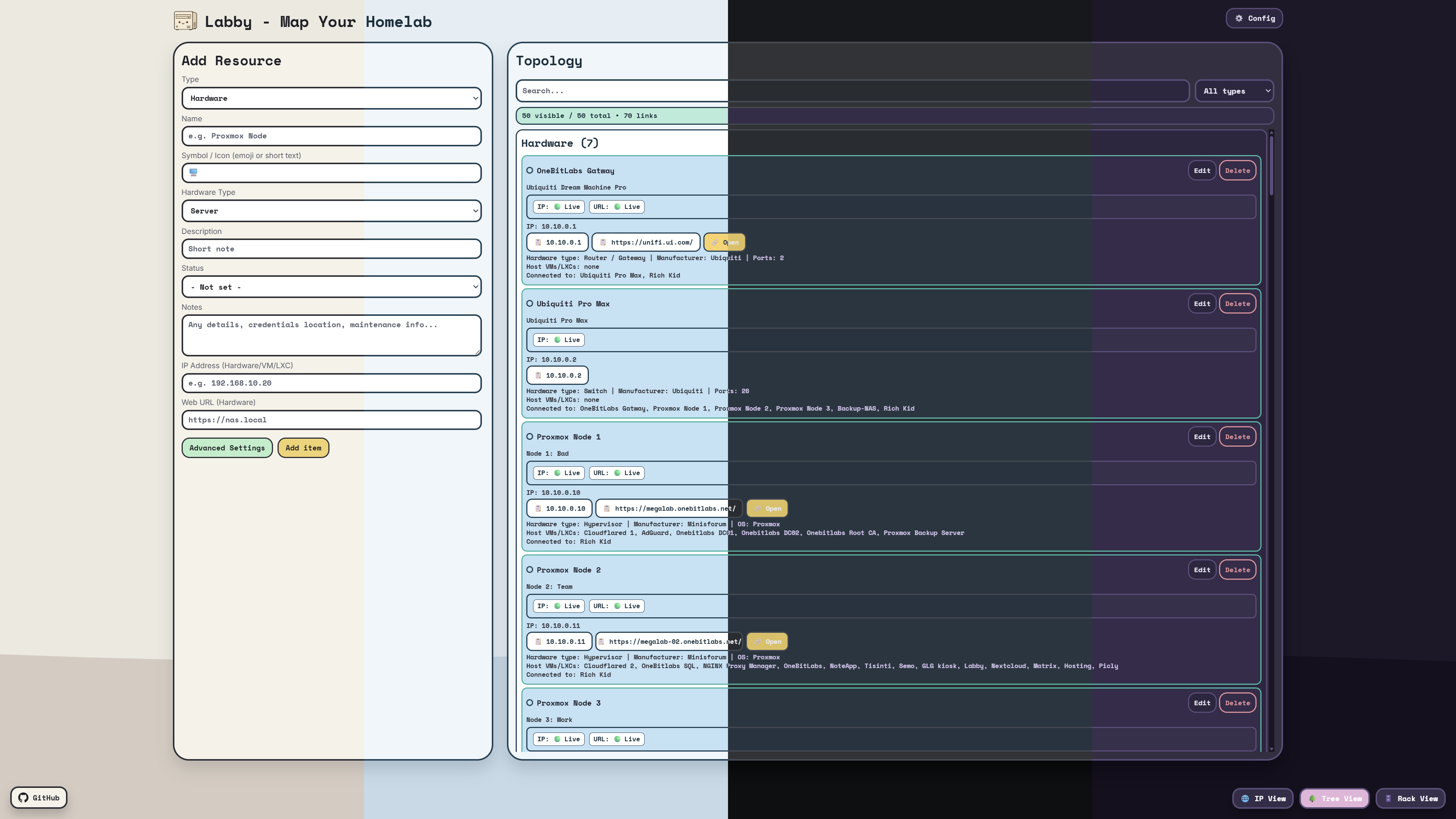
One dashboard for all your infrastructure. From bare-metal servers to containerized apps -add it, connect it, visualize it and style it with the new theme customizer.
Resource Tracking
Hardware, Network, VMs, LXCs and Apps with rich metadata, multi-port networking, UPS details, access points, IoT devices, VLANs, wireless networks and relationships.
Topology Views
Tree view and interactive Graph view visualize physical and nested VM/LXC hosting relationships between resources.
Rack Editor
Create locations and racks. Drag components into front and rear rack slots and link them to Labby resources.
IP View
Dedicated IP address view grouped by subnet. Live search by IP, hostname or port. Color-coded networks.
Live Status Checks
Optional auto-ping for device IPs and auto-check for URLs. Online / Offline / Maintenance status stays focused on devices, while Network definitions remain status-free.
Browser Console
Open SSH sessions with password or SSH private-key credentials, auto-copy selected terminal text and clear known-host keys per target.
Agent API Keys
Create scoped, time-limited API keys for trusted agents with inventory, rack, status, ping and credential permissions.
Saved Credentials
Store editable usernames, passwords, SSH private keys and passphrases for Hardware, VMs, LXCs and Apps, then mark them for Web or CLI access.
Encrypted Import / Export
Backups include resources, racks, themes and, when present, encrypted credentials plus encrypted API key records protected by a one-time export key.
10+ Themes
Built-in Light, Dark, Ocean, Nord, Grape and more -plus the new custom theme editor with filled color circles, desktop descriptions and export support.
Server-Side Storage
Data lives on the server, shared across all browsers and devices. Export / import JSON backups anytime.
Mobile Optimized
Full-screen views and bottom navigation on mobile and tablet. Same features, smaller screen.
Console
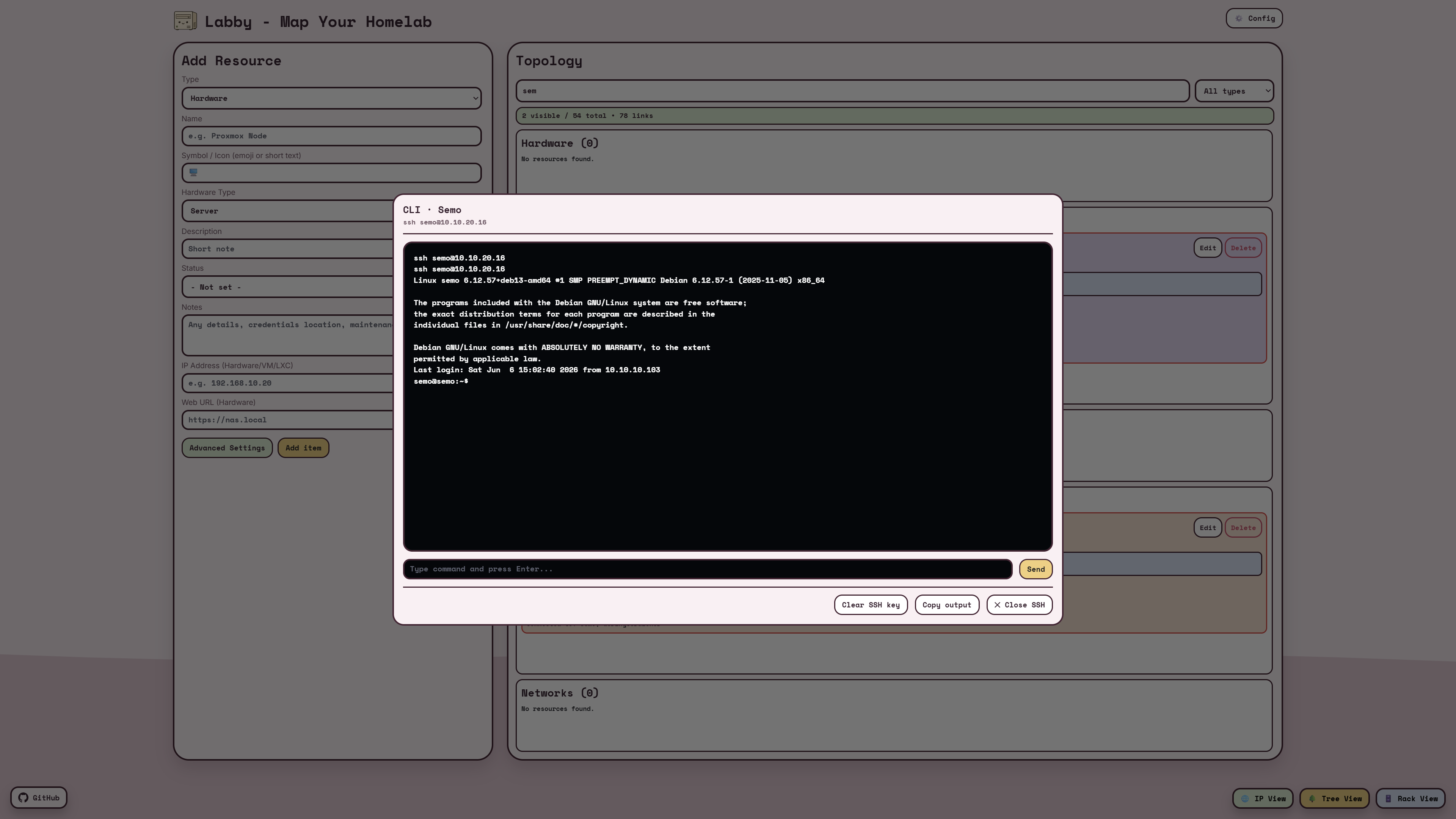
Resources with CLI credentials can expose a secure console button next to their IP address. Labby opens the session in a designed terminal window on desktop and a full mobile console page on phones.
Browser Console
Store password or SSH private-key credentials on Hardware, VMs, LXCs or Apps, mark them for CLI access, and connect by clicking the terminal icon in Topology. Terminal output can be copied, selected text auto-copies, and known-host keys can be cleared for a specific target.
Automation
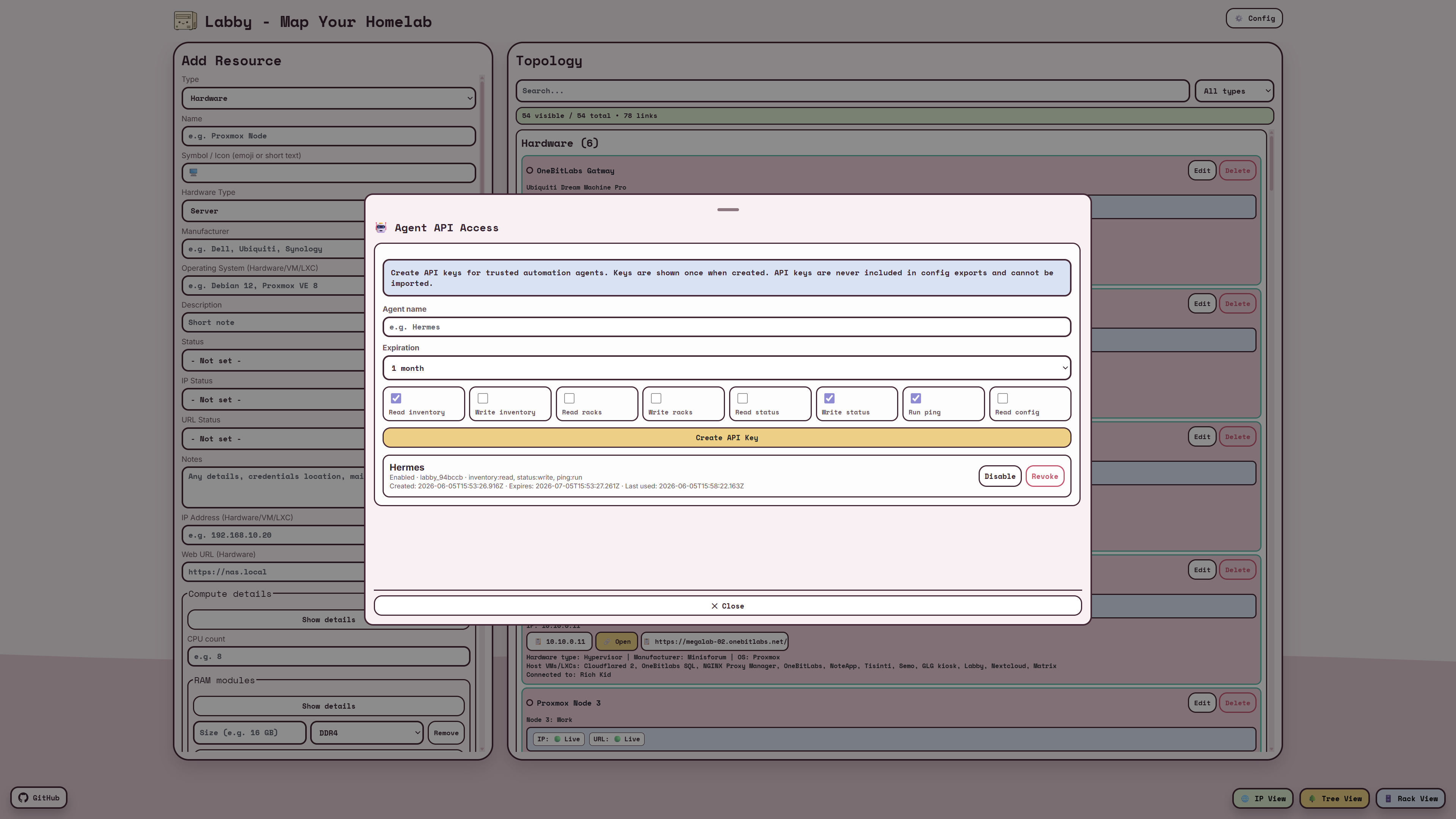
Labby can expose scoped API access for automation agents such as Hermes, OpenClaw or your own monitoring scripts. Agents can read inventory, update status, trigger allowed ping checks and, when explicitly allowed, read or update resource credentials.
Agent API Access
Create time-limited API keys from Config → API Keys. Each key receives only the permissions it needs, and the token is shown once for secure copy-and-paste into your agent configuration.
Screenshots
Click or tap a screenshot to open the viewer. Swipe or use the arrows to browse left and right.
Self-Hosting
Requires Docker and Docker Compose. Data is stored in a named Docker volume and survives restarts.
Clone the repository from GitHub
Run docker compose up
Open localhost:8080
git clone https://github.com/techbygiusi/Labby.git
cd Labby
docker compose up --build -d
License
Labby is licensed under the GNU Affero General Public License v3.0. You can use, study, share and modify it under the terms of the license. When you modify Labby and run it as a network service, users of that service must be able to access the corresponding source code.
Try the live demo instantly -no sign-up needed. Or self-host Labby for persistent shared storage across all your devices.